How to Write LinkedIn Posts With AI That Sound Human
Why AI-written posts read as AI, what measurably reads as human, what LinkedIn tolerates in 2026, and a seven-step method that starts from your own material rather than a prompt.

· 12 min read
On this page
LinkedIn removed its own AI writing tool in August 2026. It also gave readers a button to flag posts that “seem like AI slop.” In the same breath its Chief Product Officer said “AI and slop are not the same thing.” Both are true, and the gap between them is where this post lives.
The difference between an AI-assisted post that reads as a person and one that reads as a machine is not the model. It is not the prompt or the hidden characters either. It is what the model was given to work with. Here is the evidence, what LinkedIn has said it will and will not tolerate, and a method that starts from your material instead of a blank chat.
Why AI-written posts read as AI
Three independent descriptions of machine prose agree on the pattern. They come from a journalism institute, an encyclopedia’s editors and a detection company.
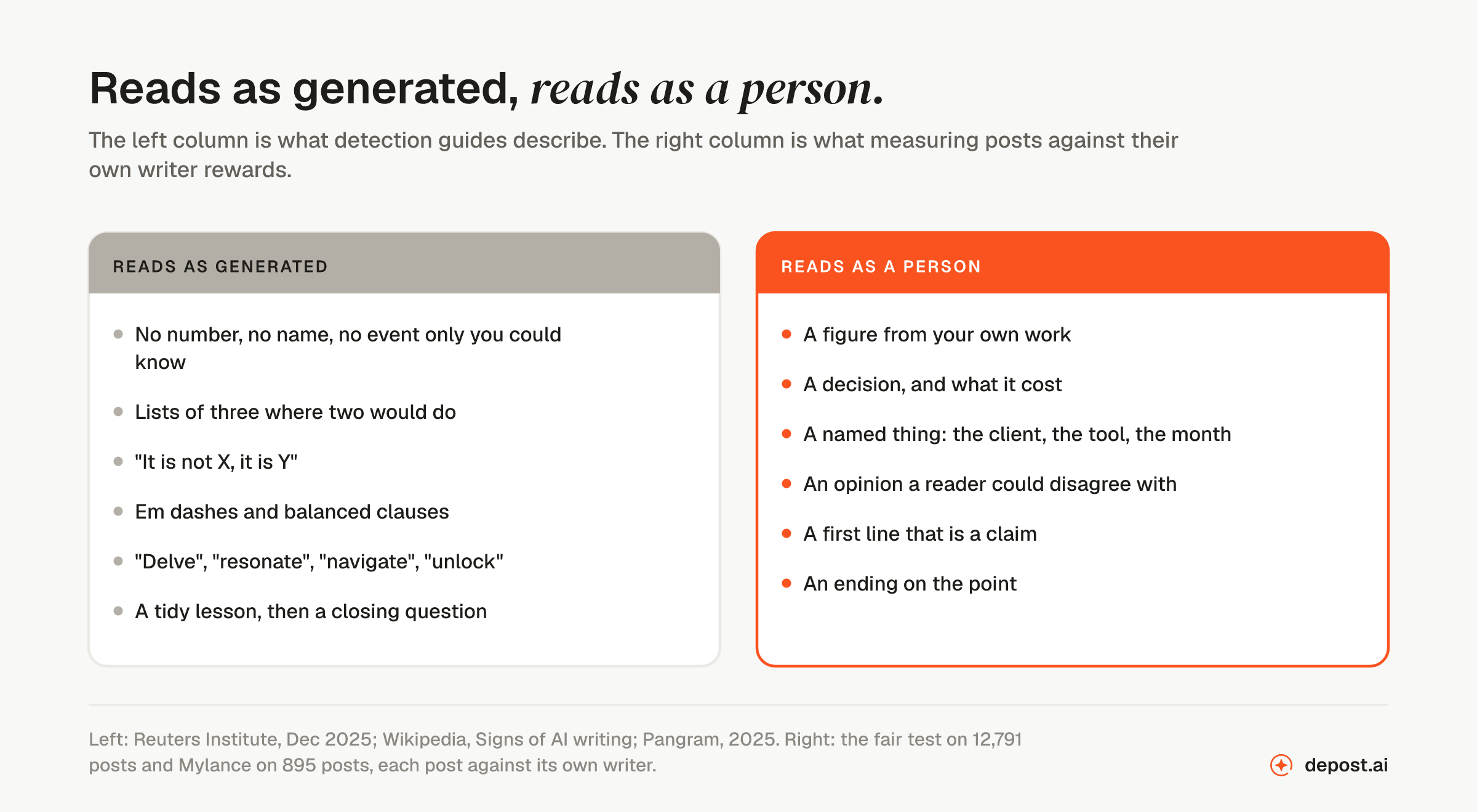
Reads as generated: no number, name or event only you could know; lists of three where two would do; “it is not X, it is Y”; em dashes and balanced clauses; words like “delve”, “resonate”, “navigate” and “unlock”; a tidy lesson, then a closing question.
Reads as a person: a figure from your own work; a decision, and what it cost; a named thing, such as the client, the tool or the month; an opinion a reader could disagree with; a first line that is a claim; an ending on the point.
The Reuters Institute at Oxford described the fingerprints in December 2025: “previously rare words that have quickly become clichés or a formulaic sentence structure repeatedly used in the same text.” It names the vocabulary, “semi-formal and corporate or academic-sounding, such as ‘delve’, ‘resonate’, ‘navigate’, and ‘commendable’.” It names the absences too: models “avoid slang, contractions (like ‘gonna’ and ‘wanna’), colloquial language and passive voice.” One editor’s summary in the piece is the whole problem in a sentence: “The dead giveaway for me is just that it’s a lot of words that don’t say anything.”
Wikipedia’s editors keep a field guide for catching undisclosed machine text. Its headings read like a LinkedIn feed: “Undue emphasis on significance, legacy, and broader trends,” “Superficial analyses,” “Promotional and advertisement-like language,” “Vague attributions and overgeneralization of opinions,” “Negative parallelisms,” “Rule of three.” One is dated as a historical marker: “Overuse of em dashes (2022–September 2026).”
Pangram, which sells detection, adds the one that matters most for a post: “AI does not create specific details when writing creatively, and tries extremely hard to avoid proper nouns.”
That last line is the mechanism. Asked to write about a subject with nothing to work from, a model produces the average of everything already written about it. Readers recognize the average because they have read it many times. The glossary entry on AI slop makes the same point: the problem is not the model, it is the absence of input.
What reads as human, measured
Two measurements. Both score each post against its own author’s typical post, so audience size cannot skew the result.
Mylance, a LinkedIn content tool for consultants, backtested 895 posts across 37 creators. Its findings, in its words:
- “68% of posts high in specificity beat their baseline. Versus about 50% for vague posts. Concrete details, real numbers, and named things beat abstraction.”
- “70% of posts high in emotional pull beat their own baseline.”
- “61% of posts with a number in the first line beat their baseline. Versus 52% for posts that don’t open with a concrete result.”
- “67 posts a blind AI judge scored 4 or 5 out of 5 then landed in the bottom half of that author’s baseline. The judge over-credited polish.”
That last finding should worry anyone who judges drafts by how polished they look.
Our own test of 12,791 posts from 655 creators, measured the same way, found the personal story the only kind of post above the writer’s own average, at 1.15 for 64% of the creators who wrote one. A plain bold claim was the only opening line above average. The question and pain-then-promise openers, the two most taught and the two a model reaches for first, came last at 0.82 each.
Both studies are small by the platform’s standards, and both come from companies that sell writing tools, ours included. They point the same way regardless. Specifics beat polish, and a post that costs the writer something to say beats one that cost nothing.
What LinkedIn tolerates, in its own words
The record is short and worth having exactly.
May 2026. Laura Lorenzetti, LinkedIn’s Global Editorial VP, wrote in the app: “It’s ok to use AI to help you write, but your posts and comments need to represent your voice and your perspectives. The ultimate value comes from the human behind the tool.” Social Media Today summarized the accompanying measure as restrictions on the reach of content “that appears to be generated by AI and lacks clear perspective.”
July 2026. LinkedIn added a “Seems like AI slop” option to the menu on posts and comments. Hari Srinivasan, its Chief Product Officer, told The Register the aim was for writers “to get feedback from real humans on what sounds authentic – not just have an AI detector review it and get it wrong.” He drew the line that matters: “AI and slop are not the same thing. Many people refine thoughts with AI, and we believe they want to know when they sound inauthentic.” A flagged post, per Engadget, sees “reduced algorithmic reach similar to users’ flagging them as ‘not interested.’” The author is told privately in analytics.
August 2026. Srinivasan reported that “members are now experiencing 40% less views on what we classify as AI slop from just a few weeks ago.” He added that LinkedIn had “built safeguards to help prevent individual feedback from being used to unfairly target other members.” In the same period LinkedIn removed its own “enhance your post” writer. Its replacement, in his words, “proofreads your words, but does not change your voice.”
So the platform’s position matches the measurements. Help is fine, substitution is not. The full dated record is here.
A word on watermarks
Some of the advice on “making AI text undetectable” is now out of date. It is worth knowing why.
Watermarks now live in word choice, not hidden characters. Anthropic announced in August 2026 that future Claude models watermark their text this way: “Nothing is added to the text and there are no hidden characters.” The pattern is “undetectable to the reader, but is detectable to anyone who has a key.” Google DeepMind described the same approach for Gemini text in 2024. Anthropic adds: “light editing probably won’t remove the watermark completely; a complete rewrite where every word is replaced will.”
Two consequences. An invisible-character remover cleans pasted formatting, which is useful, and does nothing to a word-choice watermark. And none of this is what readers react to. A reader who taps “seems like AI slop” is not running a detector. They are reacting to the pattern in the first section, which a watermark neither causes nor cures.
The method
Seven steps. The first one does most of the work, and it happens before the model is opened.
Step 1: Write the material before you open anything
On paper, one line each: the number from your own work, the decision you made, the thing that went wrong, the opinion a reader in your field could disagree with. A post needs at least one of those. If you have none, the post is not ready, and no tool will make it ready. This is the step that separates the two columns above.
Step 2: Brief the model with your material and your own past posts
Not a topic. Paste the lines from step one, then two or three of your own posts that did well. Say: write it the way these are written, using only the facts above. The past posts carry your voice. The facts carry the specifics. A model given both rarely produces the average, because it has been given something other than the average.
Step 3: Ask for a tightening, not a draft
LinkedIn’s own product decision is the right instruction: proofread, do not change the voice. Ask the model to cut, to fix grammar, to find the weak line, to shorten a sentence. Do not ask it for the point. The point is the part only you can supply, and the part the model is worst at.
Step 4: Open with a claim and end on the point
The first line is a statement a reader could disagree with from their own experience. Not a question, not a pain-then-promise. The last line is the point. Not a question, not a link, not “comment X for Y.” Both rules come from the fair test, and both are the opposite of what a model does by default.
Step 5: Strip the tells
Read the draft once for these, in this order:
- em dashes
- lists of three where two would do
- “it is not X, it is Y”
- a sentence that says what the post is about instead of saying something
- “delve,” “resonate,” “navigate,” “unlock,” “game-changer”
- a tidy lesson in the last paragraph
- a question at the end
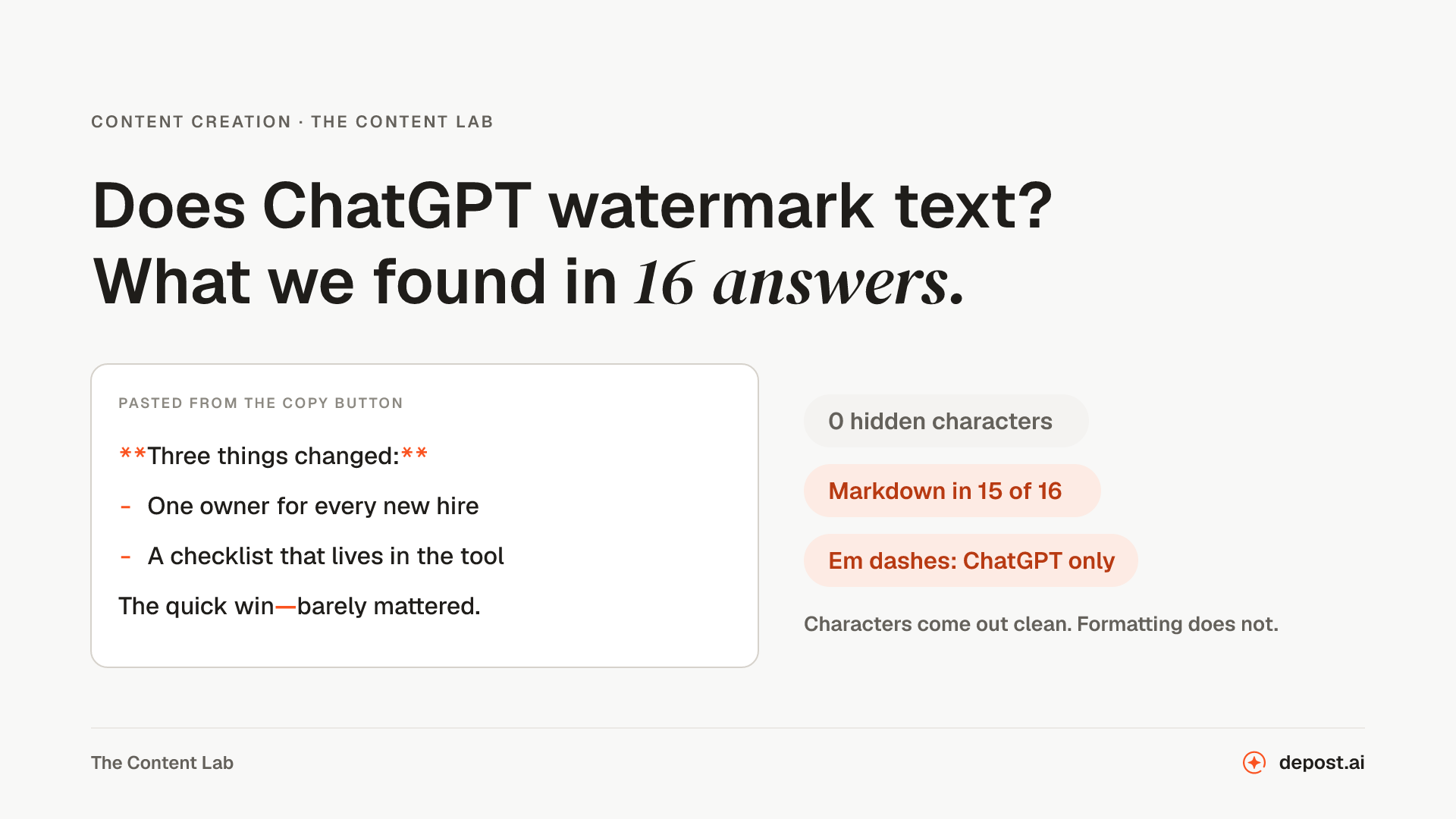
Replace each with something plainer, or delete it. The AI content detector for LinkedIn checks a draft for the patterns and names the line that gave it away. If you copied from a chat window, also clean the formatting it brought along. Our test of sixteen copied answers found Markdown bold, em dashes and curly quotes in most of them.
Step 6: Read it as a stranger
One question: after reading this, what does a stranger know that only I could have told them? If the answer is nothing, go back to step one. If the answer is a number, a decision or a name, the post is done.
Step 7: Watch the analytics note
If readers flag the post, LinkedIn tells you privately in your analytics. LinkedIn calls that feedback rather than a penalty, and that is the right way to read it. It is a reader saying the post sounded like everyone’s. The fix is always the same: more of step one.
The same post, two ways
Both versions below were written for this article, to show the pattern. Neither is a tool’s output. The founder is made up, and the figures in the second version are placeholders for your own.
The brief: a founder writes about a launch that did not work.
Built from nothing:
Launching a product is never easy. We recently launched a new feature, and while the results weren’t what we hoped for, the lessons were invaluable. It’s not about the outcome, it’s about the journey. Here are three takeaways every founder should remember: stay resilient, listen to your users, and keep iterating. What’s the biggest lesson you’ve learned from a launch? Let me know below.
Built from material:
We launched the annual plan in March. Twelve people bought it in the first week. Then nobody did for a month.
So I read the twelve support threads from that week. Nine of them had the same sentence in them: “I didn’t know this was included.”
The feature everyone had been asking for was already in the plan. The launch post never mentioned it.
This month I am rewriting the pricing page from those nine sentences, not from our roadmap.
Same founder, same event. The first version could be posted by anyone about anything, which is why a reader scrolls past it. The second has two numbers, a quoted sentence, a named mistake and a decision. A model could have tightened it in a minute.
Where Depost AI fits
This is the problem Depost AI was built around: step one and step two, done for you. It reads your published posts, your numbers and your brand voice before it writes, so the draft starts from your material rather than a blank prompt. It knows what you have already posted, so it does not hand you the same angle twice. Ask it to sharpen the hook, make a draft less salesy or humanize it, and it rewrites rather than regenerates. And nothing publishes until you approve it.
No tool can promise a post will never be flagged, because a reader decides that. What a tool can do is make sure there is something of yours in the post before the model touches it.
FAQ
Can LinkedIn tell if a post was written with AI?
LinkedIn has not published how its detection works or how accurate it is, and its Chief Product Officer has said “AI and slop are not the same thing.” The signal LinkedIn is building from is readers flagging posts, which respond to how a post reads rather than to which tool wrote it. A post with nothing specific in it reads as generated whether or not it was.
Does AI-written content get less reach on LinkedIn?
Posts that readers flag as AI slop get reduced reach, in the way a “not interested” signal reduces it. LinkedIn reported in August 2026 that content it classifies as AI slop was getting around 40% fewer views than a few weeks earlier. It has published no figure for AI-assisted posts in general. The measured difference in the studies above is between specific posts and vague ones, not between tools.
Is it OK to use ChatGPT or Claude for LinkedIn posts?
By LinkedIn’s own account, yes, if the result represents your voice and your perspective. Its Global Editorial VP said in May 2026: “It’s ok to use AI to help you write, but your posts and comments need to represent your voice and your perspectives.” Use the model to tighten what you wrote, not to produce the point.
Does removing hidden characters make AI text undetectable?
No. Anthropic says Claude’s text watermark adds “no hidden characters” and lives in word choice, and Google describes the same approach for Gemini. An invisible-character remover cleans pasted formatting and does not touch that. More to the point, readers do not run detectors. They react to vague, polished, specific-free prose, which no cleaner fixes.
What are the signs a LinkedIn post was written by AI?
The ones detection guides agree on: no specific number, name or event; lists of three; “it is not X, it is Y”; em dashes; vocabulary like “delve,” “resonate” and “navigate”; a tidy lesson at the end; and a closing question. The underlying sign is simpler. The post could have been written by anyone about anything.
How long should an AI-assisted LinkedIn post be?
LinkedIn’s marketing blog recommends 200 to 300 words. Our own test of 12,791 posts found no length rule that survived measuring against each writer’s own average. Mylance’s test found posts under 400 characters the most reliable underperformers. Write to the point and stop. A post that is short because it has nothing in it is the one to worry about.
Should I tell readers a post was written with AI?
LinkedIn does not require a label for AI-assisted posts, and its own guidance focuses on whether the post represents your voice and perspective. If the specifics, the decision and the opinion are yours, the post is yours. If none of them are, a label will not help it.