Introducing Depost AI 2: Your AI content team for LinkedIn
We rebuilt Depost AI from scratch around one idea: you should be able to brief a content team the way you would text a colleague, and it should already know your numbers. Here is why, and who it is for.

· 9 min read
On this page
- The list that kept arriving
- It starts with a conversation
- You never start from nothing
- A calendar that fills itself, then waits
- It starts from your numbers
- The conversations that become clients
- Built for the people who kept asking
- Your team, inside the AI you already use
- The rule that did not change
- Everything in Depost AI 2
- Thank you
- FAQ
Depost AI 2 is live 🎉
Eight months ago we stopped patching the first version. We started again from an empty folder. This is the story of why, and what came out the other end.
The list that kept arriving
We built the first Depost AI for ourselves. We were not copywriters. We wanted an audience. A tool that turned a rough idea into a decent post felt like the whole problem solved.
Thousands of people used it. Their feedback was consistent, and at first it was uncomfortable.
Nobody said the writing was bad. They said the writing was the easy part.
What ate the hour was everything around it. Deciding what to write about. Making the graphic. Picking the time. Being there for the replies. Knowing, a week later, whether any of it had worked.
The requests that arrived most often were not about writing at all. They came from agencies, from marketing teams, from founders whose ghostwriter needed a login. They were about approvals, workspaces, teams, and a chat. The same four words, month after month.
Version 1.0 was a set of tools. You opened a generator, filled in a form, and got a draft. It could not carry any of that list. We could have bolted the pieces on. Instead we started over.
What we built is not a writing assistant with extras. It is a content team.
It starts with a conversation
The first thing you notice is that there is no form. There is a chat.
“Plan my week of content.” “Write a post in my voice.” “Analyze my recent posts.” “Interview me,” which asks you questions about something you know and turns the answers into a post. You type it, or you say it. A voice note on the walk is a draft by the time you are back at a desk.
It works the way ChatGPT works, with one difference: the thing on the other end already knows you. Your brand memory. Your published history. Your calendar. The third draft does not repeat the first. Ask for a content plan and you get drafts sitting in the calendar, waiting for your approval. Not a list of suggestions to copy somewhere.
Behind the chat are four agents, and each brand you run gets its own set. The Performance Analyzer reads your numbers. The Idea Generator finds the angles. The Post Generator writes in your voice. The Graphic Generator designs the visual. You brief them once. The right one picks up each message.
When you want to write by hand, a real editor sits underneath. LinkedIn formatting, hook variants, rewrite-with-AI. Manual writing is first-class, not a fallback.
The difference between a colleague and a vending machine is that one of them remembers.
You never start from nothing
The blank page was the other thing people described. So the team watches the feed for you.
Inspiration is a live feed of posts working in your niche right now. Each comes with a short breakdown of why it worked and who it reached. Save the ones worth returning to. Then hand any of it to the chat. A trending post, a bookmark, a document from your knowledge base. Ask for the post that comes out of it, in your voice.
The point is not to copy anyone. The point is to never start from nothing.
The graphic is no longer your problem either. The Graphic Generator designs infographics in your colors, your type, and your themes, learned from what you have already published. It happens in the same chat where the draft lives. The post and its graphic arrive together, in whatever aspect ratio the post needs. “I will make a graphic later” is where a lot of good posts used to die. That step is gone.
A calendar that fills itself, then waits
Consistency is what LinkedIn rewards. Consistency is what busy people lose first. So the calendar does the remembering.
Approved posts sit at the time they go out. The time is suggested from your own engagement data, not a generic chart. Publishing goes through LinkedIn’s official API, with the first comment already written. If a post fails to publish, it lands in your inbox with a one-click retry. Nothing is silently dropped. On Team, recurring workflows draft and queue on a schedule, so Monday’s pipeline fills itself and waits for review.
Nothing enters that queue that you, or the reviewer you assign, has not approved. That was true in 1.0. It is truer now.
It starts from your numbers
Growth on LinkedIn is not one great post. It is a loop that gets slightly better every week. The loop only works if someone is reading the numbers. So Depost AI 2 starts from the numbers.
Analytics syncs the real impressions and the full follower history of the account you connect. Every post is mapped against your own average. The Performance Analyzer reads that before anyone writes a word. It works out which posts beat your baseline and why, and hands the lesson to the Idea Generator. Next week’s ideas are ranked from what actually worked.
You approve. The post publishes. The loop runs again with one more data point.
“What worked last month?” is now a question you type and get answered with receipts.
The conversations that become clients
Posting is half of LinkedIn. The other half happens in the comments and the inbox. That is where most of the pipeline comes from.
So engagement got its own place. Targeted feeds watch the people, niches, and topics you care about, across LinkedIn, X, Reddit, Threads, and Facebook. The right conversations find you without the scroll. Replies arrive drafted in your voice. Lead lists keep stages, notes, and reminders on every prospect, so you know who went quiet and who is warming up. On Team, connection notes and DMs are researched from the prospect’s own activity, and lead warming workflows keep drafts flowing for the lists that matter.
You read, you edit, you send. Every time.
Built for the people who kept asking
Approvals, workspaces, teams. These were the requests. So they are built in, not bolted on.
Every draft waits in review for you or the reviewer you assign. Decisions are approve or needs-changes. Feedback lives in threaded comments on the post itself. Roles are set per brand. There is an audit trail of who approved what and when.
A workspace holds the brands you run and the people who work on them. An admin overview puts every brand on one screen. Each brand gets its own agents, so the voice learned for one client never leaks into another.
That decided the pricing. A product built for teams cannot charge per seat. Charging per seat punishes you for involving the people who should be involved. Team is $99 a month for your first LinkedIn account and $59 for each one after that, with unlimited workspaces and no charge for people. Solo is $59 for one account, for one person. Bring in the reviewer, the client, the VA, and the intern. It costs nothing, and everyone acts under their own name.
Your team, inside the AI you already use
The last thing we heard was that people did not want another tab. They already work in Claude or ChatGPT all day.
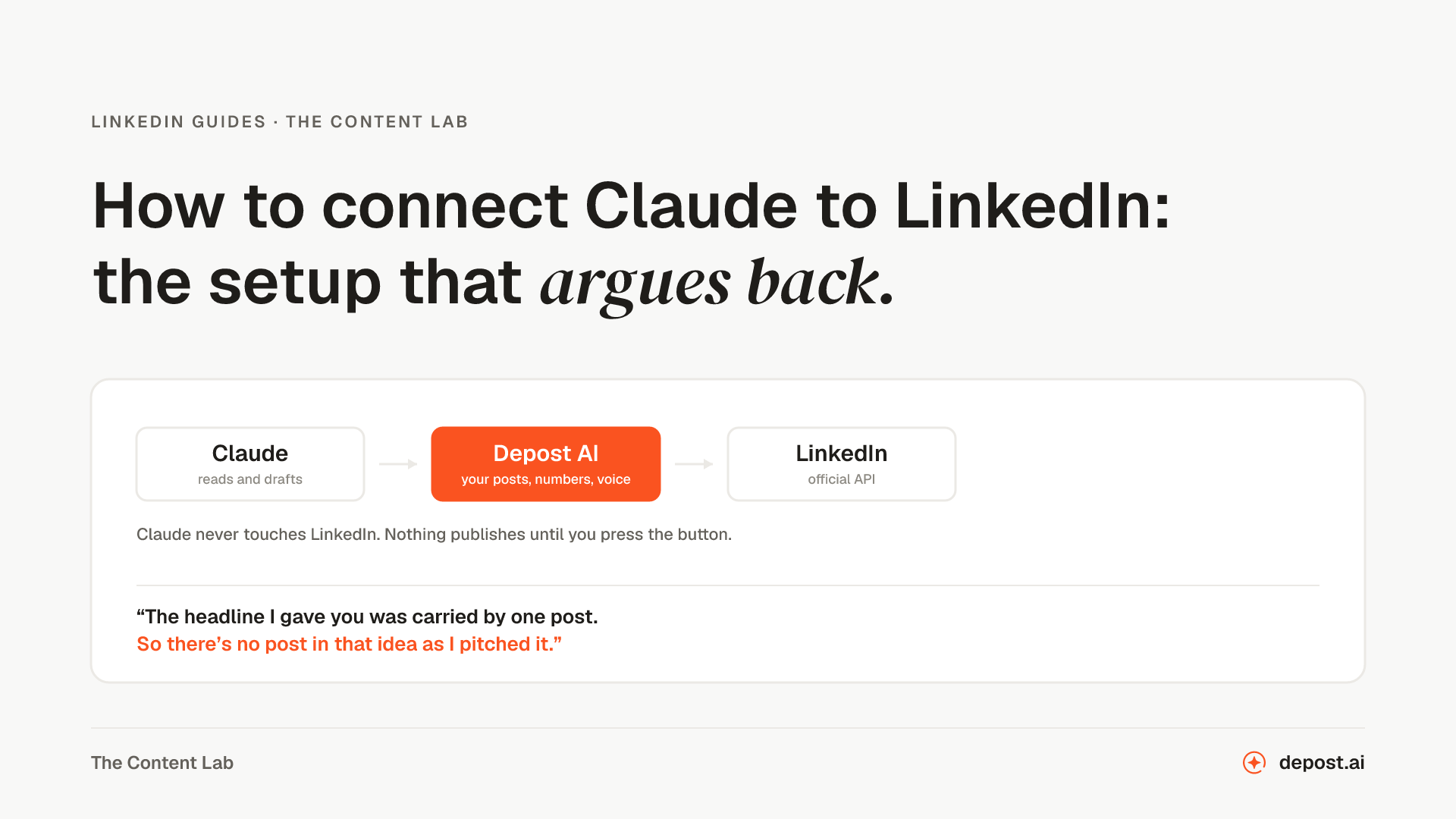
So the whole team is reachable from Claude, ChatGPT, Cursor, or any MCP client, over MCP. You create a key scoped to one brand or one workspace, with exactly the permissions you grant it. Revoke it without touching the rest. A research thread becomes a LinkedIn draft in your voice, queued for review. Your real impressions pull into the conversation you are already having. The calendar is a sentence, not a tab switch. It ships on every plan, Solo included.
The rule that did not change
Everything above got bigger. One thing did not move. I want to be explicit about it, because it was the reason a lot of people chose 1.0.
Nothing publishes without a human yes.
Publishing goes through LinkedIn’s official API. Depost AI sends no automated connection requests, no automated DMs, and no automated comments. Replies and outreach are drafted in your voice and sent by you, after you have read them. The team got much better at its job. It did not get permission to act on its own, and it will not.
Everything in Depost AI 2
The whole team, in one list. Each one has its own page if you want the detail.
- The agents. Performance Analyzer, Idea Generator, Post Generator, Graphic Generator. One set per brand, briefed on your numbers, your voice, and your goals.
- Chat and editor. Brief the team in plain language, by text or voice. A real LinkedIn editor underneath, with hook variants and rewrite-with-AI.
- Infographic generation. Graphics in your colors and type, learned from what you publish, generated in the same chat as the draft.
- Analytics. Real impressions, your full follower history, post-level breakdowns, and posting streaks, synced from the account you connect.
- Scheduling. Calendar, best-time slots from your own data, the first comment written, recurring workflows on Team. Official API only.
- Engagement and leads. Targeted feeds on five platforms, replies drafted in your voice, lead lists with stages and reminders.
- Teams and approvals. Review rounds, threaded comments, roles per brand, an audit trail, and clients and VAs invited free.
- Workspaces and brands. A room per client, a team per brand, and an admin overview of every brand on one screen.
- MCP. The whole team inside Claude, ChatGPT, Cursor, or any MCP client. Scoped keys, on every plan.
Thank you
To everyone who used 1.0 and told us what was missing, plainly and more than once: this release is mostly your list.
We are still building for people who have something to say and no interest in becoming content marketers. If that is you, start a free trial. Brief your new team. Tell us what we still get wrong.
Atta, co-founder of Depost AI
FAQ
What is Depost AI 2?
An AI content team for LinkedIn, rebuilt from scratch over eight months around a chat. You brief it the way you would text a colleague. It plans, writes, and designs from your real analytics and your own voice, and a human approves everything before it publishes. Teams get approvals, roles, an audit trail, and a workspace per brand. It works from Claude, ChatGPT, or Cursor over MCP.
What changed from Depost AI 1.0?
Posting is now a conversation rather than a set of tools. Inspiration watches what is working in your niche. Infographics are generated in your own colors. The calendar fills from approved drafts. Analytics benchmark every post against your own average and feed next week’s ideas. Engagement has targeted feeds and lead lists. Approvals, workspaces, teams, and per-brand pricing are built in.
Who is Depost AI 2 for?
People who need to be visible on LinkedIn and do not have an hour a day for it. Founders, consultants, and creators building their own presence. Agencies, marketing teams, and ghostwriters running it for others. Solo covers one person and one account. Team covers every brand you run.
Does it cost more than 1.0?
No. Solo is $59 a month for one LinkedIn account, for one person. Team is $99 a month for the first account and $59 for each additional one, with unlimited workspaces and free invites for clients, VAs, and teammates. Yearly billing is two months free.
Is there an autopilot mode?
No. Every post, reply, comment, and connection note waits for a human yes. Depost AI sends no automated DMs, connection requests, or comments. Publishing goes through LinkedIn’s official API.