LinkedIn post image size (2026)
A LinkedIn post image is 1200 × 627 pixels for landscape, 1200 × 1200 for square, and 4:5 for portrait, at 720 × 900 or larger. Every size below comes from LinkedIn's own pages, last checked on 5 October 2026. Drop in an image to check it.
Heights are rounded to a whole pixel. LinkedIn asks for an image more than 200 pixels wide; a narrower one is shown as a small thumbnail.
Every LinkedIn image size, 2026
Last checked on 5 October 2026. The sources are LinkedIn Help’s image specifications for Pages, its profile photo requirements, and its single image ad specifications.
Post images
| Image | Size | Shape | File |
|---|---|---|---|
| Post image, landscape The size LinkedIn gives for a custom image on a post with a link. Also the size of a link preview image. | 1200 × 627 px | 1.91:1 | JPG or PNG, up to 3 MB |
| Post image, square LinkedIn’s recommended square size for a single image ad. It takes more room in the feed than a landscape image. | 1200 × 1200 px | 1:1 | JPG or PNG, up to 5 MB |
| Post image, portrait LinkedIn recommends at least 720 × 900 for a 4:5 image and accepts up to 2430 × 4320. This is the same shape at 1080 wide. | 1080 × 1350 px | 4:5 | JPG or PNG, up to 5 MB |
| Carousel slide, portrait A carousel is a PDF, and LinkedIn publishes no pixel size for its pages. 4:5 is a common choice because it fills more of a phone screen. | 1080 × 1350 px | 4:5 | JPG or PNG, then combined into a PDF |
| Carousel slide, square A carousel is a PDF, and LinkedIn publishes no pixel size for its pages. Square is the other common choice. | 1080 × 1080 px | 1:1 | JPG or PNG, then combined into a PDF |
Profile images
| Image | Size | Shape | File |
|---|---|---|---|
| Profile banner The background photo behind your profile photo. Your photo covers part of the lower left. | 1584 × 396 px | 4:1 | JPG or PNG, up to 8 MB |
| Profile photo LinkedIn accepts anything from 400 × 400 up to 7680 × 4320 and shows it in a circle. | 400 × 400 px | 1:1 | JPG or PNG, up to 8 MB |
Company page images
| Image | Size | Shape | File |
|---|---|---|---|
| Company page cover The wide image at the top of a company page. | 1512 × 256 px | about 6:1 | PNG or JPEG, up to 3 MB |
| Company page logo Recommended size. The minimum is 268 × 268. | 400 × 400 px | 1:1 | PNG or JPEG, up to 3 MB |
| Life tab main image The main image on the Life tab of a Career Page. | 1128 × 376 px | 3:1 | PNG or JPEG, up to 3 MB |
| Life tab custom module The image in a custom module on the Life tab. | 502 × 282 px | about 16:9 | PNG or JPEG, up to 3 MB |
| Life tab company photo Recommended size. The minimum is 264 × 176. | 900 × 600 px | 3:2 | PNG or JPEG, up to 3 MB |
Click a size to open it in the image resizer.
Which shape to choose
- Landscape, 1200 × 627. Use it when the post has a link, and for photos that are wide to begin with.
- Square, 1200 × 1200. A safe choice for a graphic or a chart. It is taller than a landscape image, so it takes more of the screen on a phone.
- Portrait, 4:5. The tallest of the three, so it takes the most room in a phone feed. Keep the text large, because the image is shown smaller on a desktop.
What happens to other sizes
You do not have to match a size exactly. For a custom image on a link post, LinkedIn Help says images on mobile are not cropped, and that images of other ratios appear in full size with subtle white padding. One limit is firm: an image has to be more than 200 pixels wide, or it is shown as a small thumbnail.
Matching the shape still helps, because you decide what the edges look like. If your image is the wrong shape, the image resizer crops it or fits it with a background of your choice.
Carousels, banners, and profile photos
A carousel is uploaded as a PDF, and LinkedIn publishes no pixel size for its pages. Pick square or 4:5 and keep every page the same. The carousel generator exports the PDF for you.
The profile banner is 1584 × 396 and your profile photo covers part of it. The banner size guide has the safe area. For the photo itself, the profile picture resizer frames it in LinkedIn’s circle.
Depost AI designs an infographic with each post it drafts, in your colors and fonts, already at a feed size, so there is nothing to resize.
Questions
- What is the best LinkedIn post image size in 2026?
- For a post with a link, LinkedIn Help gives 1200 × 627 pixels, a 1.91:1 shape. For an image on its own, LinkedIn’s ad specifications recommend 1200 × 1200 for a square and 720 × 900 or larger for a 4:5 portrait. A square or portrait image takes up more of the feed on a phone than a landscape one.
- What is the LinkedIn post image size in pixels?
- Landscape: 1200 × 627. Square: 1200 × 1200. Portrait, 4:5: at least 720 × 900, for example 1080 × 1350. These come from LinkedIn Help’s image specifications and its single image ad specifications.
- What aspect ratio does LinkedIn use for images?
- LinkedIn names three: 1.91:1 for landscape, 1:1 for square, and 4:5 for portrait. For a custom image on a link post it recommends 1.91:1, and says images of other ratios appear in full with subtle white padding.
- What is the maximum file size for a LinkedIn image?
- It depends on where the image goes. LinkedIn Help gives 3 MB for Page images such as the logo and cover, 8 MB for a profile photo or banner, and 5 MB for a single image ad. JPG and PNG are accepted for all of them.
- What size is a LinkedIn carousel?
- A carousel is a PDF document, and LinkedIn does not publish a pixel size for its pages. Two shapes are common: square, such as 1080 × 1080, and 4:5 portrait, such as 1080 × 1350. Keep every page the same size.
- Does LinkedIn crop post images?
- For a custom image on a link post, LinkedIn Help says images on mobile are not cropped, and that images in other ratios appear in full with subtle white padding. An image 200 pixels wide or narrower is shown as a small thumbnail beside the post.
- What size is the LinkedIn banner?
- The profile banner is 1584 × 396 pixels, a 4:1 shape, JPG or PNG up to 8 MB. A company page cover is 1512 × 256 pixels. The banner size guide shows which part your profile photo covers.
From the blog
All posts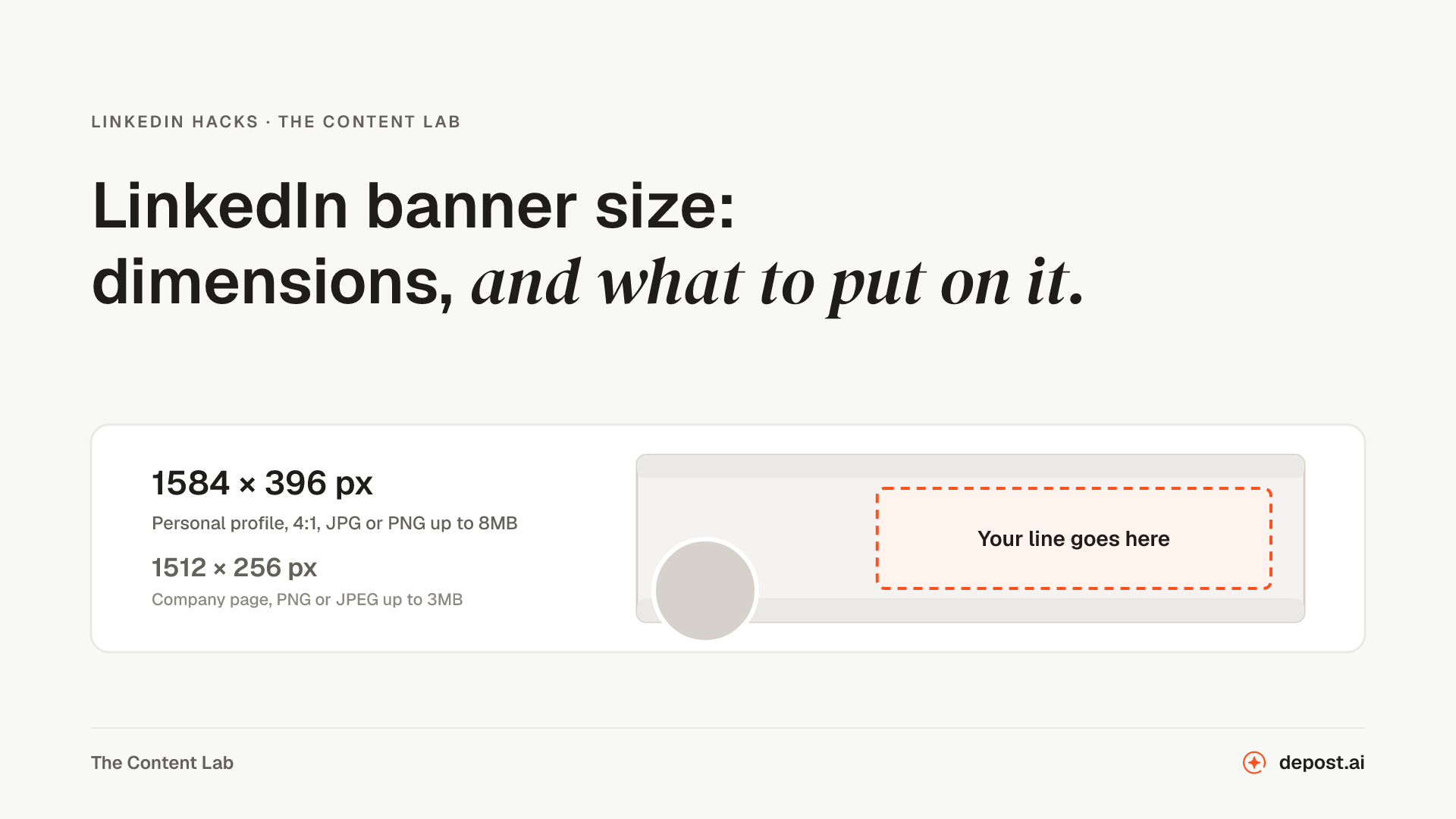
Next
LinkedIn Image Resizer
Any image resized to the exact size LinkedIn gives for a post, a profile banner, a company page cover, or a logo. Crop it or keep the whole image. Nothing leaves your browser.
LinkedIn Profile Picture Resizer
Your photo framed in LinkedIn’s circle and exported as a square that uploads the first time, checked against the 8MB limit. Nothing leaves your browser.
LinkedIn Carousel Generator
A swipeable PDF from an outline, in five layout styles with your photo or logo on every slide, and type large enough to survive LinkedIn’s compression.
Make LinkedIn your
best-performing channel.
Brief your team once. It studies, plans, writes, designs, and schedules. You approve.
Your brief comes with you: once you're set up, it's the team's first job.
7 days free · Strategy in your first 15 minutes · Cancel anytime