LinkedIn profile picture resizer
Drop a photo, frame your face in the circle LinkedIn crops to, and download a square LinkedIn accepts the first time. You see it on a profile, a post, and a comment, and the file is checked against LinkedIn’s limits before you save it. The photo never leaves your browser.
Drag to move.
How it shows up
On your profile
On a post
In a comment
LinkedIn crops the photo to a circle. The corners stay in the file but nobody sees them, so keep your face inside the ring.
Use it as
Background fills any gap around the photo
Size
Format
How to resize a LinkedIn profile picture
- 1
Add your photo
Drop it on the box, paste it, or click to choose a file. A photo from the profile picture downloader opens here on its own.
- 2
Frame it in the circle
Drag to move and zoom until your face sits inside the ring. Check the previews for your profile, a post, and a comment, and pick a background for any space the photo does not reach.
- 3
Download the square
Choose 400, 800, or 1200 pixels and JPG or PNG. The file size appears next to LinkedIn’s limit before you download, so it uploads the first time.
LinkedIn profile picture size in 2026
| Image | Size | Files | Max file size |
|---|---|---|---|
| Profile photo | 400 × 400 up to 7680 × 4320 px | PNG or JPG, no GIF | 8MB |
| Company page logo | 400 × 400 px recommended, 268 × 268 minimum | PNG or JPEG | 3MB |
Both rows come from LinkedIn Help: the profile photo from its photo upload requirements, the company page logo from its image specifications for Pages. Checked September 2026.
The 400 × 400 figure is a minimum, not a target. Every place the photo appears, from the large circle on your profile to the small one beside a comment, is scaled from the file you gave it. Uploading 800 × 800 leaves room for a tighter crop later without dropping under the minimum, and a photo that size is usually a fraction of a megabyte, nowhere near the 8MB limit.
Framing that survives the circle
- Head and shoulders, with your face taking up most of the circle. Beside a comment the photo is a few millimeters wide, and anything smaller than a face at that size is a blur with hair.
- Eyes a little above the middle, and some space above your head so the circle does not cut through it.
- A plain background that contrasts with your hair and clothes. If the original is busy, zoom out a little and let one of the background colors fill the edge.
- Recent and recognizable. LinkedIn’s own guidelines ask that the photo reflects your likeness, and the person arriving at a meeting should match it.
The rest of the profile
The photo sits over the bottom left of your banner, so the two are best settled together. The banner maker builds the 1584 × 396 image with your photo drawn where it will land, and the banner size guide explains what the photo covers and what the mobile crop removes. If you lost the original photo, the profile picture downloader gets the 400 × 400 copy back from one of your posts and opens it here.
Questions
- What size should a LinkedIn profile picture be?
- At least 400 × 400 pixels. LinkedIn accepts anything from 400 × 400 up to 7680 × 4320, as a PNG or JPG under 8MB, and shows it cropped to a circle. A square works best because nothing gets cropped by surprise. The resizer exports 800 × 800 by default, and 400 or 1200 if you prefer.
- Why won’t my photo upload to LinkedIn?
- Almost always one of three things: the image is smaller than 400 × 400, the file is over 8MB, or it is a format LinkedIn does not take, such as GIF or an iPhone HEIC. A square exported here fixes all three at once: it is at least 400 pixels, it is a JPG or PNG, and the file size is shown next to LinkedIn’s limit before you download.
- Does LinkedIn crop profile pictures to a circle?
- Yes. The file you upload is square, and LinkedIn shows it as a circle everywhere: on your profile, on your posts, and in comments. The corners are kept but never seen. The resizer dims everything outside the circle so you can see exactly what will show, and keep your face inside it.
- Why does my LinkedIn photo look blurry?
- Usually because the photo was small to begin with, or it was cropped so tightly that only a few hundred pixels of the original are left. The resizer tells you how many pixels of the original the frame covers, and warns you when the export has to be enlarged to reach the size you picked.
- What size is a LinkedIn company page logo?
- LinkedIn recommends 400 × 400 pixels for a company page logo, with 268 × 268 as the minimum, as a PNG or JPEG under 3MB. Choose Company page logo above: the guide switches to a square, the format switches to PNG, which keeps flat colors crisp, and the size check uses the 3MB limit.
- Can I resize an iPhone photo?
- Yes. JPG, PNG, and WebP open in every browser. iPhone photos saved as HEIC open in Safari; in other browsers, share the photo as a JPG first, or change the camera format to Most Compatible in the iPhone settings.
- Is my photo uploaded anywhere?
- No. The photo is read and redrawn on this page, in your browser, and the download is made there too. Nothing is sent to our servers, and nothing is kept once you close the tab.
From the blog
All posts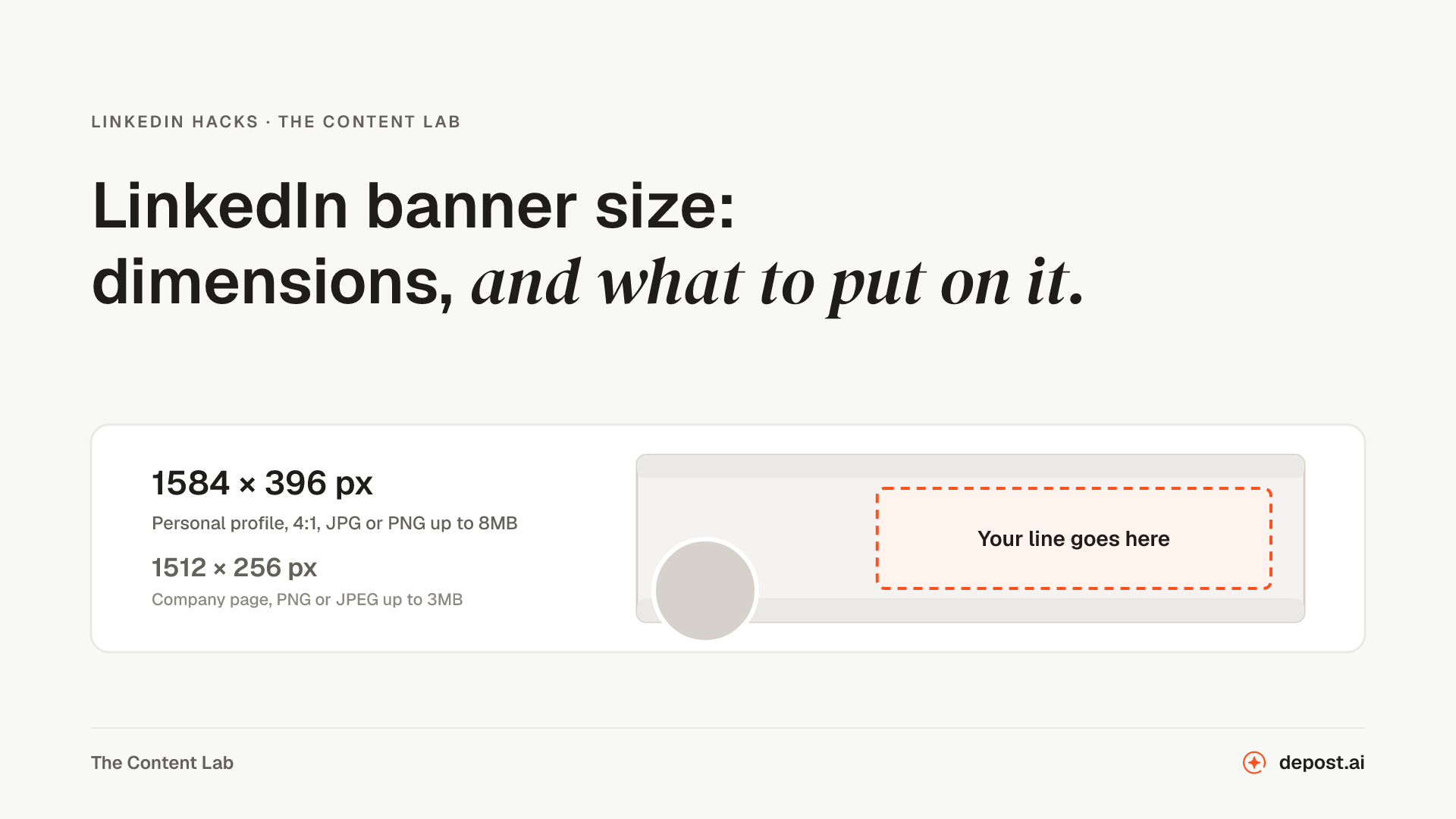
Next
LinkedIn Profile Picture Downloader
Someone’s profile photo at 400 × 400, the largest copy LinkedIn makes public, taken from any post they wrote.
LinkedIn Image Resizer
Any image resized to the exact size LinkedIn gives for a post, a profile banner, a company page cover, or a logo. Crop it or keep the whole image. Nothing leaves your browser.
LinkedIn Banner Maker
The 1584 by 396 background photo at the right dimensions, with your line placed wherever you drag it, instead of the default blue nobody has changed since 2016.
Make LinkedIn your
best-performing channel.
Brief your team once. It studies, plans, writes, designs, and schedules. You approve.
Your brief comes with you: once you're set up, it's the team's first job.
7 days free · Strategy in your first 15 minutes · Cancel anytime